
1.Go to Templates and select New> Create Temple.
2.Select Upload and select the document you would like to upload to create a power form from.
3.Assign Roles based on who would you like to sign your power form. If only the Signer signature is required, then you would only need the Signer However, if you need multiple signatures in your document you would have to add them in this section (i.e. Supervisor, Manager, etc.) Once you are done assigning roles, click Next.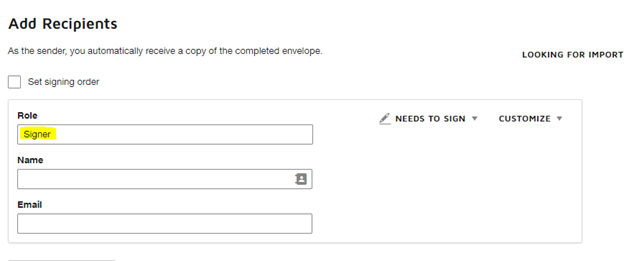
4.Select the Standard Fields on the left and place the fields you would like the Signer to fill in the document.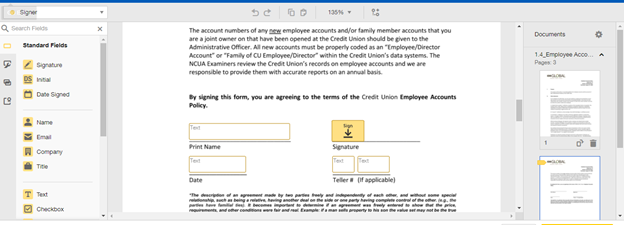
5.Once you are done placing the fields you would like the Signer to fill, select Save and Close and give your power form a name. Select Save and Close.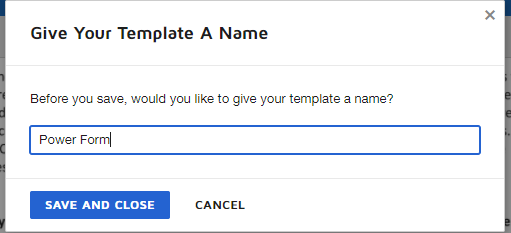
6. Go to Home and select New > Create a Power Form
7.Select the Template you uploaded to create the power form.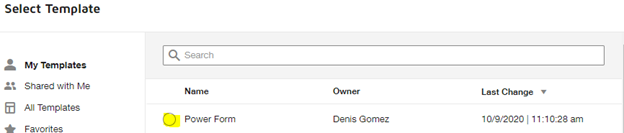
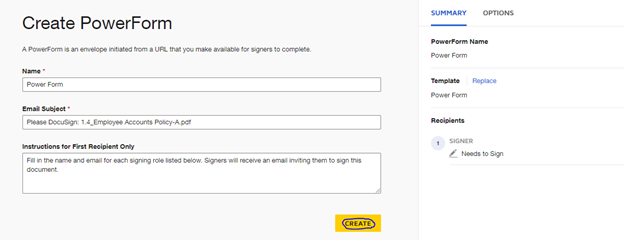
8.Make sure all the configurations for your power form are correct and select
9.Copy the URL provided by DocuSign to access your power form and share with the people you will like to collect their signatures from!
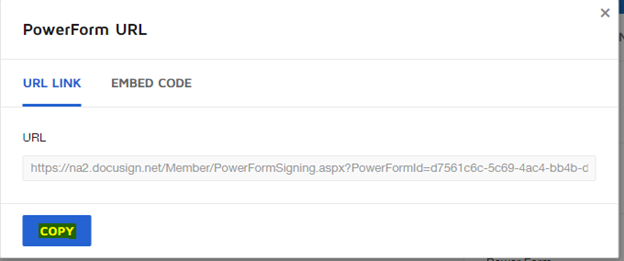
You have successfully created a Power Form and can now collect signatures!
Comments
0 comments
Please sign in to leave a comment.